
Make.com template · Google Sheets + Gmail

Send polite invoice reminders from Google Sheets and Gmail with Make.com

Chasing unpaid invoices by hand is awkward and easy to forget. This Make.com template sends invoice payment reminders from your own Gmail, based on a simple Google Sheets invoice list. Once a day it finds overdue invoices and sends up to three short, polite invoice follow-ups: friendly, then firm, then final. Then it stops.

Mark an invoice Paid, Paused or Disputed to stop future reminders. Part-paid invoices can be set to Partial, which also stops automatic reminders.
Get the template on Gumroad: $19 (opens in a new tab) One-time purchase · v1.0 · 30-day money-back guarantee
What’s included
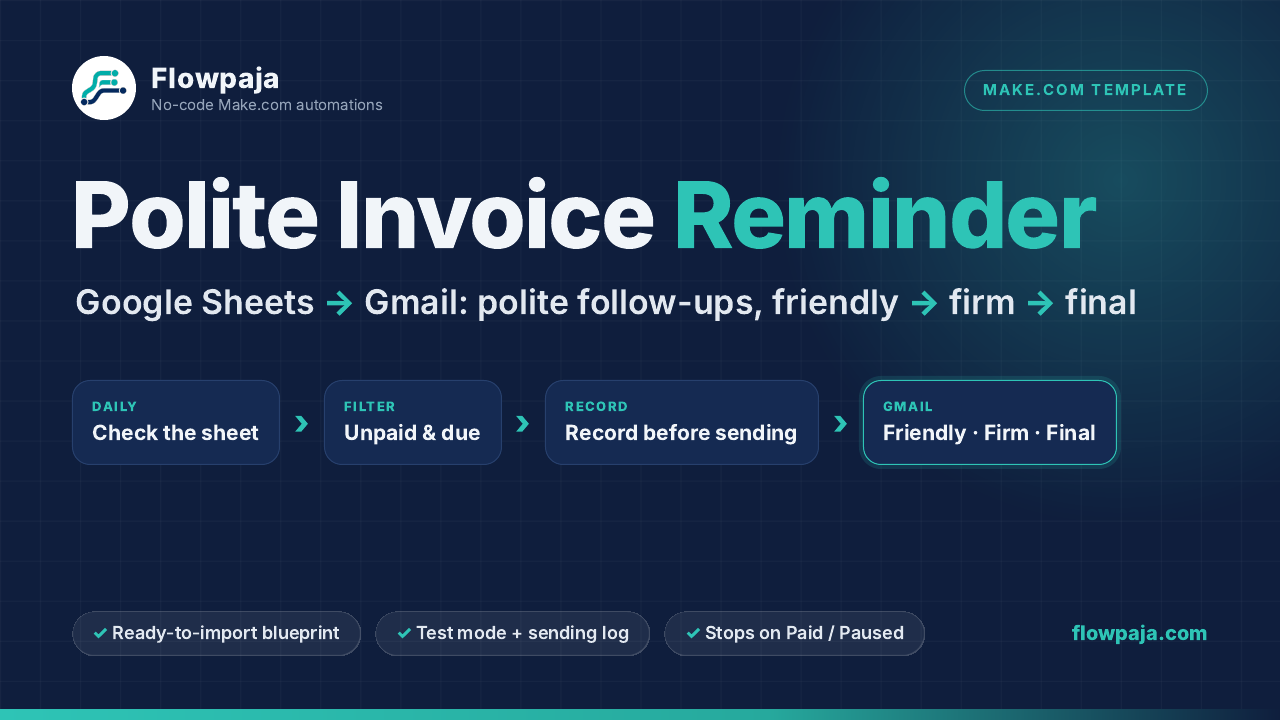
Polite Invoice Reminder flow: overdue invoice rows in Google Sheets, reminder stages in Make.com and Gmail
Google Sheets invoice list → due reminder → Gmail send → history and log.

What it does

One daily Make.com scenario that reads your Google Sheets invoice list and sends reminders from your connected Gmail. It runs in your own accounts; nothing runs through Flowpaja.

Daily check

Finds reminders due

Each day, it picks Unpaid invoices whose next reminder date is due. The default stages are 3, 7 and 14 days after the due date.

Three stages

Friendly, then firm, then final

Three short email texts are included and editable. The final reminder contains no threats, penalties or invented consequences.

Stop controls

Paid, Paused, Disputed or Partial

Change one Status cell to stop future reminders. The sequence also stops after the final reminder, so it never chases forever.

History

Records before sending

Each invoice keeps a sending history, and a Log tab gets one row per email. A same-day guard helps prevent duplicate reminders.

What you get

A ready-to-import package for a DIY setup, with fictional examples and a test plan.

  • Make.com blueprint (.json)A ready-to-import scenario with no connections or account IDs inside. Connect your own Google account.
  • Example Google Sheets file9 fictional invoices showing every case, plus a blank copy for your own invoice list.
  • Three editable reminder emailsFriendly, firm and final messages, also included as plain text so you can review and edit them.
  • 9-page PDF setup guideStep-by-step import, connection, test plan and recovery steps.

How it works

The sheet is the source of truth. You choose the schedule, review Test mode, and keep invoice statuses current.

Keep one row per invoice

Enter the client, email, amount, due date, optional payment link and Status in Google Sheets.

Choose a daily schedule

At a time you choose, the scenario finds Unpaid invoices whose next reminder is due.

Record, then send

It records the reminder in the row before sending from Gmail. By default, stages are 3, 7 and 14 days after the due date.

Review the history

Each row shows reminders sent, last stage, last sent at, recipient, next reminder date and next action. The Log tab records each email.

Built for previewing and stopping

Safety defaults help you check the workflow before any client receives a message.

  • Test mode is on by default. Every reminder goes to your own address, and the subject shows which client it was meant for, so you can check the emails first.
  • Pause at any time. Change Status to Paid, Paused, Disputed or Partial to stop future reminders.
  • The sequence stops. There are three stages only; it never chases forever.
  • Record-before-send protection. If the sheet cannot be updated before sending, the run stops instead of sending. If Gmail fails, the row is marked “NOT sent” and retried the next day.
  • Polite by default. Every email text is editable, and the final reminder has no threats, penalties or invented consequences.

Please read before buying

It is a practical DIY template, not a hosted collections service.

  • DIY setup. No code is needed, but you import the blueprint, connect your Google account, select your sheet and run the test yourself. Allow about 30–45 minutes with the guide.
  • Not set and forget. You keep the Status column up to date. The template does not monitor your bank or payment provider and does not read client replies.
  • Gmail re-authorization. Personal Gmail connections in Make need re-authorizing about every six months. See Make’s Gmail docs.
  • Accounts needed. You need a Make.com account (the Free plan works) and a Google account with Google Sheets and Gmail.
  • Who it is not for. If your invoicing app already sends late-payment reminders, use those. This is not automatic payment matching or a collections workflow.
  • Your accounts and data. It runs in your own Make, Google Sheets and Gmail accounts. You are responsible for collecting and using personal data lawfully.

FAQ

There are free invoice reminder templates. Why pay?
Some free templates are a good fit if you are comfortable building and debugging scenarios yourself. This one is packaged to be set up and checked quickly: an example sheet and a blank sheet, Test mode on by default, stop controls (Paid, Paused, Disputed, Partial), a sending history for every invoice, a log of every email, record-before-send protection against double reminders, and a guide with a test plan and recovery steps.
What technical skills do I need?
No code. You should be comfortable importing a file into Make, signing in to Google from Make, choosing a spreadsheet from a dropdown and clicking “Run once”. The guide walks through each step in plain language and includes a test checklist.
What does it cost to run each month?
The template is a one-time $19. Make’s Free plan currently includes 1,000 credits a month and 2 active scenarios; check make.com/pricing for current limits. With the recommended daily schedule, a month costs about 60 credits plus 3 per reminder sent, for example about 120 credits for 20 reminders. Gmail’s own sending limits apply (about 500 emails a day for personal Gmail).
Will it email a client who has already paid or disputed the invoice?
Only if the sheet has not been updated. The template sends to rows marked Unpaid, so set Paid, Paused, Disputed or Partial as soon as you know. Each reminder also includes a polite line for that case: “If you’ve already paid, thank you, and please ignore this email”. The final reminder says “If you’ve paid in the last few days…” instead.
Will it sound rude, or chase clients forever?
No. There are three short, polite emails that you can edit, and the sequence stops after the final reminder. The final email has no threats or penalties. Reminders help clients remember; they cannot guarantee payment.
Can I change the timing or the wording?
Yes. The reminder days are in the Settings tab (defaults 3, 7 and 14 days after the due date), and the email texts are in the three Gmail modules.
Does it work with Google Workspace accounts?
Make’s Gmail app supports both personal @gmail.com and Google Workspace accounts. On Google Workspace, your admin may need to allow Make as a third-party app first.
Need help, or is something broken?
Reply to your Gumroad receipt email and we’ll help you get it working. 30-day money-back guarantee: if the template isn't right for you, reply to your Gumroad receipt email within 30 days of purchase for a full refund. Errors in your other Make scenarios? See Make scenario fix / debugging on Fiverr, from $25.

Want to see how this kind of scenario is built first? Read our step-by-step guide: How to send automatic invoice payment reminders from Google Sheets with Make.com.

Get Polite Invoice Reminder for $19

Make.com blueprint, example and blank Google Sheets files, three editable reminder emails and a 9-page setup guide. Delivered as a download on Gumroad.

30-day money-back guarantee: if the template isn't right for you, reply to your Gumroad receipt email within 30 days of purchase for a full refund.

Make, Google, Gmail and Google Sheets are trademarks of their owners. Flowpaja is independent and not affiliated with them.