 Flowpaja
Reads your invoice sheet
Once a day, at a time you choose, it reads the Invoices tab (columns A–H).
Keep your invoices in a Google Sheet? This free template emails you one short summary each day: every Unpaid invoice past its due date, the days overdue, and the total. Your clients never receive anything from it.
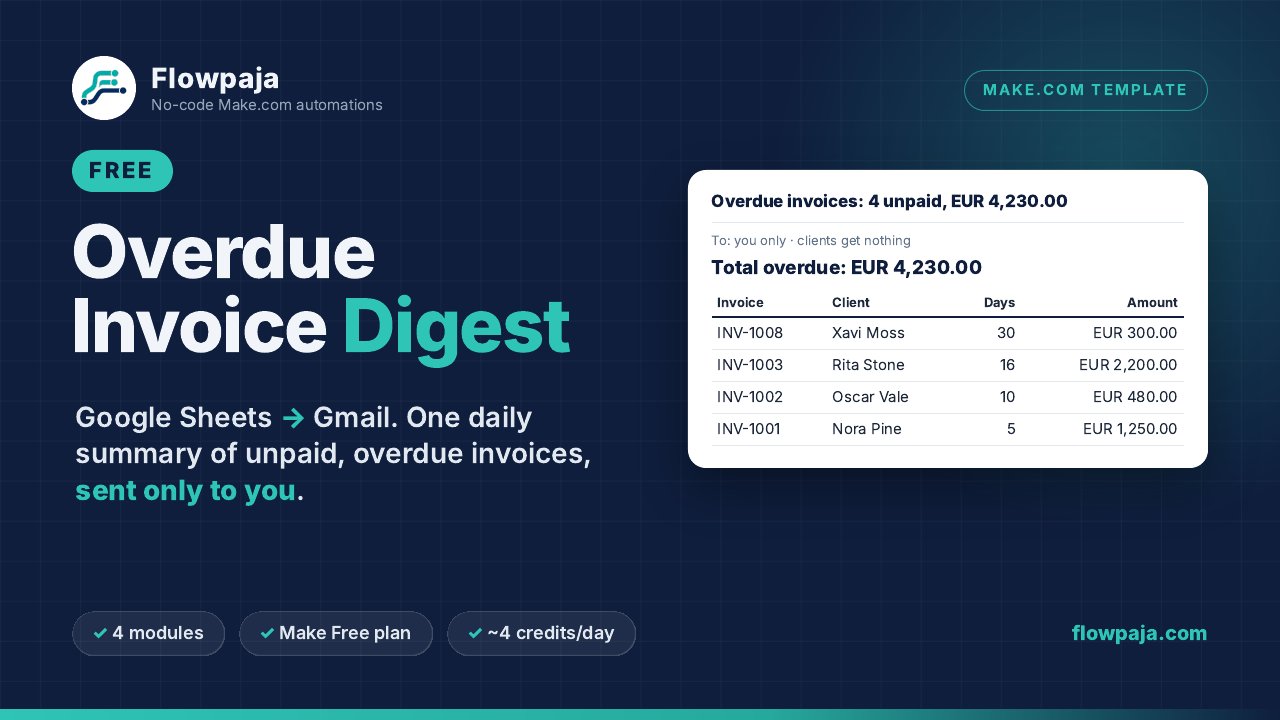
One small Make scenario with 4 modules. It runs in your own Make account with your own Google connection. Nothing runs through Flowpaja.
Once a day, at a time you choose, it reads the Invoices tab (columns A–H).
Status Unpaid and a due date before today. Paid, Paused, Disputed and Partial are left out.
Most overdue first, with the total per currency (up to 3 currencies).
Sent from your Gmail to your own address. No overdue invoices means no email that day.
One zip (v1.0, 25 Sep 2026). Tested in Make with a Run once on fictional data: the email listed exactly the 4 overdue Unpaid invoices and left out the other 5 sample rows.
Flowpaja_Overdue_Invoice_Digest_FREE_blueprint.jsonThe Make scenario. No connections, IDs or tokens inside. You connect your own Google account.SETUP_GUIDE.pdf2 pages: setup in 7 steps, what to expect from the test, limits and fixes for common problems.Overdue_Invoice_Digest_EXAMPLE_sheet.xlsxThe invoice sheet with 9 fictional invoices (every case: overdue, paid, paused, disputed, partial, not due yet).Overdue_Invoice_Digest_Invoices_tab.csvThe same rows as CSV, plus a README.txt.You need a Make.com account (the Free plan works) and a Google account with Sheets and Gmail.
Google Sheets › Blank spreadsheet › File › Import › upload the example .xlsx › Replace spreadsheet.
In Make: Create a new scenario › ⋯ menu › Import Blueprint. Pick your sheet in module 1 and connect Gmail in module 4.
In the Gmail module, replace YOUR-EMAIL with your own address. Click Run once: 4 invoices, EUR 4,230.00.
Set the schedule to every day (e.g. 08:00), not every 15 minutes. Switch it on and replace the sample rows with your invoices.
A free, deliberately simple template.
The Polite Invoice Reminder ($19) uses the same sheet columns and emails your clients a friendly, then firm, then final reminder from your own Gmail. Test mode is on by default, and it has stop controls (Paid, Paused, Disputed, Partial), a sending history per invoice and a log tab.
How it works under the hood: How to get a daily overdue invoice email digest from Google Sheets.
New to Make? Create a free Make account (affiliate link: Flowpaja may earn a commission if you later buy a paid plan, at no extra cost to you). Questions: flowpaja.fi@gmail.com.
Make, Google, Gmail and Google Sheets are trademarks of their owners. Flowpaja is independent and not affiliated with or endorsed by them.