 Flowpaja
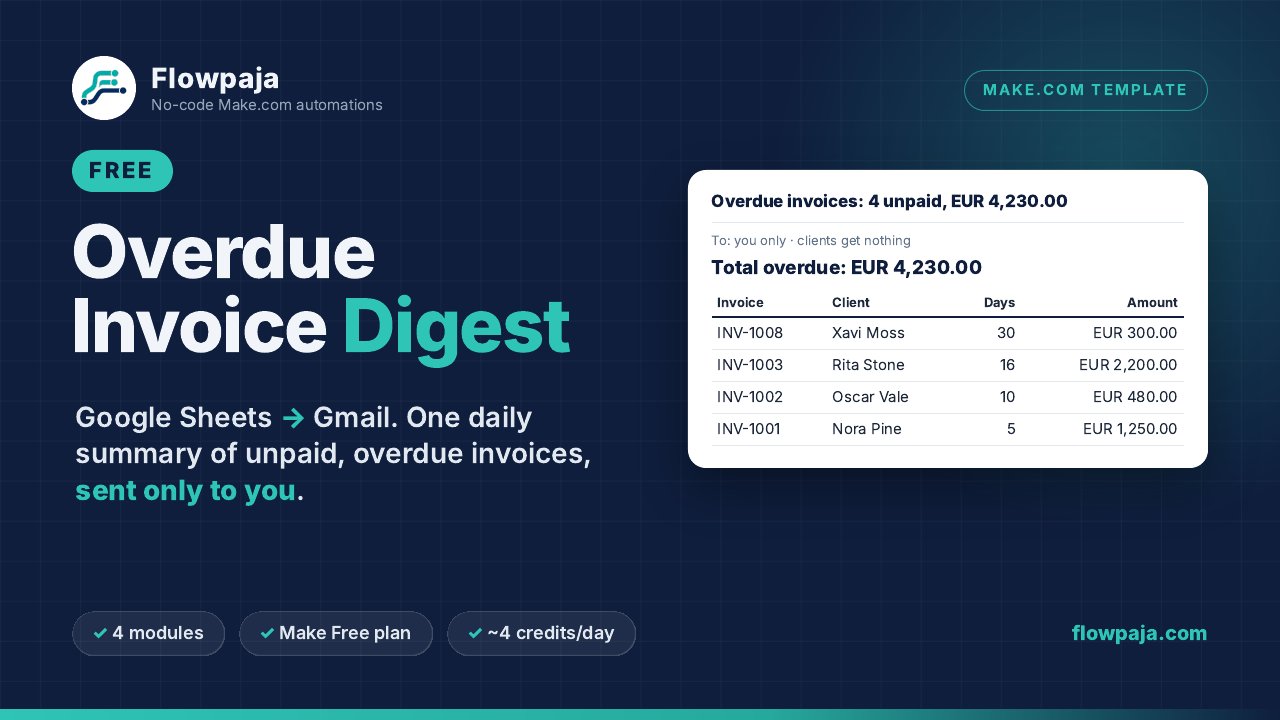
Not every business wants software emailing its clients. Often what you really need is a reliable nudge to yourself: one email in the morning that lists every unpaid invoice past its due date, how many days late each one is, and the total. You decide who to chase and how. This guide shows how to build that digest from a Google Sheet with Make.com, and links a free template that does it out of the box.
Why a digest instead of automatic reminders?
- Low risk. The only recipient is you. A wrong status or a typo in the sheet can’t embarrass you in front of a client.
- You keep the judgment. Some late payers need a friendly call, not an email.
- Very few credits. One run a day costs a handful of credits, so it fits easily on Make’s Free plan.
What you need
- A Make.com account. The Free plan works. At the time of writing it includes 1,000 credits a month and 2 active scenarios (see make.com/pricing). No account yet? Sign up for Make free (affiliate).
- A Google account with Google Sheets and Gmail.
- An invoice sheet with one row per invoice. A tab called
Invoiceswith columns A–H works well: Invoice number, Client name, Client email, Amount, Currency, Due date, Payment link and Status.
Two data rules save most of the debugging: Due date must be a real date, not text that looks like one, and Amount must be a plain number without “€” or “EUR”.
How the scenario works
Four modules and two filters, run once a day:
Google Sheets: Search Rows → filter (overdue) → Tools: Text aggregator → filter (anything found?) → JSON: Parse JSON → Gmail: Send an Email to you
The formulas below are a starting point for a sheet whose dates are shown as YYYY-MM-DD. Check each step with Run once and the output bubbles before relying on it.
Step 1: Read the invoice sheet
Create a new scenario and add Google Sheets → Search Rows. Connect Google, choose your spreadsheet and the Invoices tab, set “Table contains headers” to Yes, and set the maximum number of returned rows (for example 500). The search costs 1 credit per run, whether or not anything is overdue.
Step 2: Keep only overdue, unpaid invoices
Click the line after Search Rows → Set up a filter, with these conditions joined by AND:
- Status is Unpaid:
{{lower(trim(1.`7`))}}, Text operators: Equal to,unpaid. Thelower(trim())wrapper tolerates “Unpaid ” or “UNPAID”. - Due before today: left
{{parseDate(1.`5`; "YYYY-MM-DD")}}, Date operators: Earlier than, right
That is midnight today in your Make organization’s time zone, so invoices due today don’t appear yet.{{parseDate(formatDate(now; "YYYY-MM-DD"); "YYYY-MM-DD")}} - Amount is a number: Amount (
1.`3`), Numeric operators: Greater than,0. Text such as “€300” fails a numeric comparison, so badly formatted rows are skipped instead of breaking the total.
In these references 1.`7` means “module 1, column H” (columns count from 0). In the editor you click fields from the mapping panel.
Dates are the fiddly part. By default Make receives the date as the text shown in the cell, so the format depends on your sheet. Give the column one consistent format such as YYYY-MM-DD (Format → Number → Custom date and time). The free template takes the other route: Search Rows returns unformatted values, and it does the maths on Google’s serial day numbers, so it works whatever your locale. If you go that way and want to display a serial date, convert it at noon UTC so it doesn’t show a day early east of UTC:
{{formatDate(parseDate(toString((floor(1.`5`) - 25569) * 86400 + 43200); "X"); "D MMM YYYY"; "UTC")}}Step 3: Build the list with a Text aggregator
Add Tools → Text aggregator with Search Rows as its source module and a comma as the row separator (or a newline you replace later). Have it output one small JSON object per invoice: the amount, the currency and a ready-made HTML table row (invoice number, client, due date, days overdue, amount). Escape text fields with escapeJSON() so a quote in a client name doesn’t break the JSON.
For days overdue, compare midnight today with the due date and round, so days with 23 or 25 hours (daylight-saving changes) still give whole numbers:
{{round((parseNumber(formatDate(parseDate(formatDate(now; "YYYY-MM-DD"); "YYYY-MM-DD"); "X")) - parseNumber(formatDate(parseDate(1.`5`; "YYYY-MM-DD"); "X"))) / 86400)}}Step 4: Only send when something is overdue
Add a filter after the aggregator: the aggregated text’s length, Numeric operators: Greater than, 0. On days with nothing overdue the scenario stops here and you get no email.
Then add JSON → Parse JSON on {"rows":[ … ]}, with the aggregated text inside the brackets. Now the email can count and total the rows: length(rows) for the number of invoices and sum(map(rows; "a")) for the total. That is how the free template works; it also keeps separate totals for up to 3 currencies.
Step 5: Email it to yourself
Add Gmail → Send an Email. Put your own address in To, not a mapped client field. Set the body type to HTML and wrap the rows from Parse JSON in a <table> with a header row. A subject such as “Overdue invoices: 4 unpaid” makes the email easy to scan in your inbox.
Step 6: Schedule it once a day
Click Run once first with a few fictional rows, and check the email. Then click Every 15 minutes in the scenario toolbar (the default schedule), choose Daily (or Weekdays (Mon-Fri)) and set a time such as 08:00. “Today” and the run time use your Make organization’s time zone. Save, then switch the scenario on.
Don’t leave it on “Every 15 minutes”. Imported scenarios often start with that interval. That could mean up to 96 digest emails a day and about 380 credits a day. Once a day, expect about 4 credits on days with overdue invoices and 1–2 on other days: roughly 30–120 credits a month.
When you outgrow the digest
If you find yourself sending the same reminder emails every week, the Polite Invoice Reminder ($19) uses the same columns A–H. It emails your clients a friendly, then firm, then final reminder from your Gmail, with Test mode on by default and stop statuses. Our step-by-step invoice reminder guide explains how that build works.