
Make.com template · Google Form → HubSpot → Slack

Send Google Form leads to HubSpot and Slack automatically with Make.com

Stop copy-pasting form leads into your CRM. Lead Router is a ready-to-import Make.com scenario that turns every new Google Form response into one clean HubSpot contact and a Slack message in the right channel. Before it creates anything, it looks up the exact email in HubSpot, so a repeat submission updates the existing contact instead of adding a second one.
Get the template on Gumroad: $19 (opens in a new tab) One-time purchase · v1.1 · 30-day money-back guarantee
What’s included
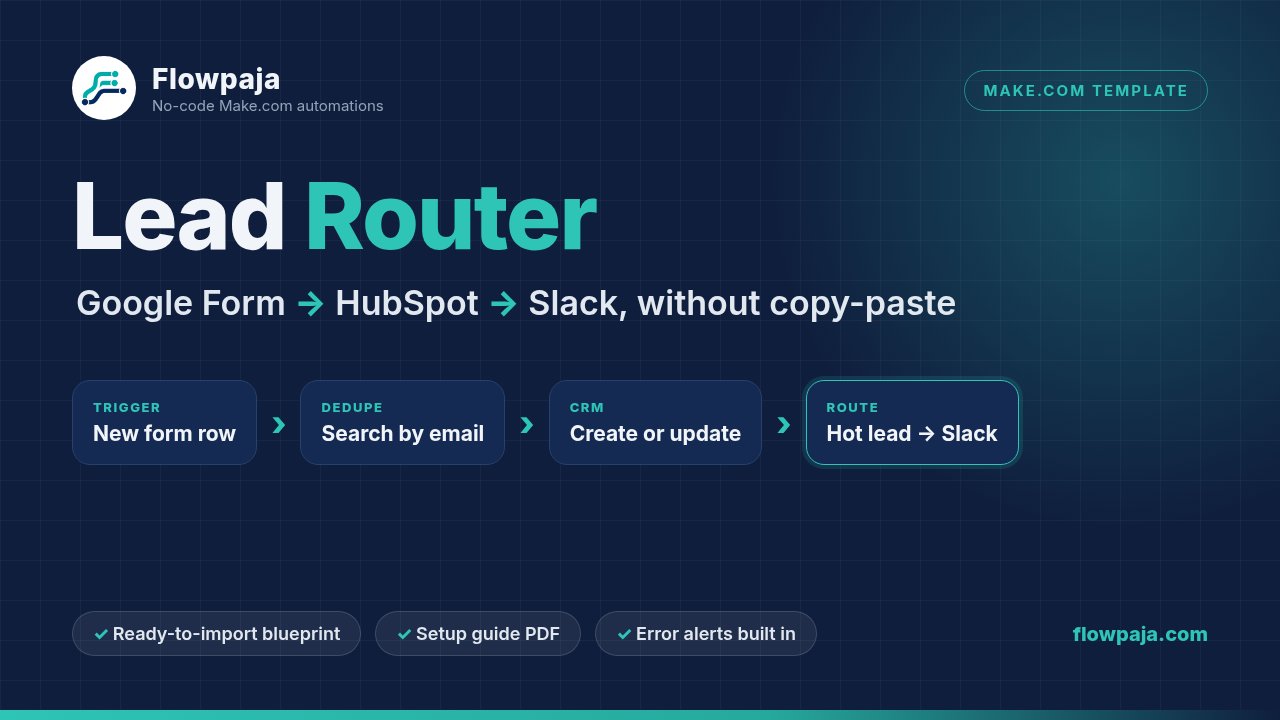
Lead Router flow: new form row, search HubSpot by email, create or update the contact, route hot leads to Slack
Trigger → exact-email lookup → create or update in HubSpot → route to Slack.

What it does

One Make scenario: 1 trigger and 16 other modules. You import it into your own Make account and connect your own apps. Nothing runs through Flowpaja.

Trigger

Watches your form sheet

Picks up new rows in the Google Sheet linked to your Google Form.

Dedupe

Exact-email lookup

Searches HubSpot for the exact email, then creates a new contact or updates the matching one.

Route

Hot leads to Slack

$10k+ budgets go to #sales-hot, everyone else to #leads. A blank budget shows as “not given”.

Alerts

No silent failures

If a HubSpot step fails, a short alert goes to #automation-alerts instead of the lead disappearing.

How the duplicate check works

Repeat submissions update the contact you already have. They don’t create a second one.

  1. Exact match only. The HubSpot search (module 4) uses the filter Email equal to the form’s email, limit 1. Similar names or partly matching emails are never picked.
  2. Decide. If a contact is found and its email equals the form email (any letter case), the scenario takes the Existing contact route and updates that contact. Otherwise it creates a new one.
  3. Same email twice within seconds? HubSpot’s search may not have indexed the first contact yet, so HubSpot blocks the second create as a duplicate. You get an alert in #automation-alerts and that row is skipped (the guide shows how to re-run it).

Changed in v1.1: earlier versions used a free-text search, where a contact that only partly matched could be updated by mistake. v1.1 switched to the exact email filter. The CHANGELOG includes steps for anyone who imported v1.0.

Exactly what’s in the download

One zip file (v1.1, updated 25 Sep 2026) with these nine files:

  • Flowpaja_Lead_Router_blueprint.jsonThe Make scenario blueprint. Account data removed: no connections, IDs or tokens. You connect your own apps.
  • Flowpaja_Lead_Router_Setup_Guide.pdf9-page setup guide: requirements and credits, import and reconnect steps, field mapping table, the budget-value gotcha, test plan, troubleshooting, ideas to extend.
  • google_form_questions.csvThe exact form questions, types, options and how each maps to HubSpot.
  • lead_intake_sheet_template.csvHeader row for the response sheet (columns A–G).
  • hubspot_custom_properties.csvThe 3 custom HubSpot contact properties to create.
  • test_leads_fictional.csv5 fictional test leads with the expected result for each.
  • BONUS_Form_to_CRM_Automation_Checklist.pdfBonus: our Form-to-CRM automation checklist (also available as a free download).
  • README.txtQuick start: what each file is for and where to begin.
  • CHANGELOG.txtWhat changed in each version.

Accounts you need

Four accounts are enough, and free plans work.

Free plan works

Make.com

An account where you can create a scenario. The guide shows how to pick a schedule that fits the free plan’s monthly credits.

Any account

Google Forms + Sheets

A form with 6 questions, linked to a response sheet. The exact layout is in the guide and CSVs.

Free CRM works

HubSpot CRM

Permission to create 3 contact properties and connect apps. Uses standard search, create and update actions.

Free workspace works

Slack

Three channels: #sales-hot, #leads, #automation-alerts. Names are editable.

Setup overview

The guide walks through each step with module numbers and a mapping table.

Prepare your apps

Create the Google Form and response sheet, the 3 HubSpot properties and the 3 Slack channels.

Import and reconnect

In Make: Create a new scenario → ⋯ menu → Import Blueprint. Connect Google Sheets, HubSpot and Slack in each module.

Check budget values

Compare HubSpot’s internal dropdown values with the form answers and adjust one small formula if needed (about 2 minutes).

Test, then go live

Run the fictional test leads (the $10k+ test is required), set a schedule that fits your credits, switch it on.

Honest limitations

Worth knowing before you buy.

  • HubSpot dropdown values are portal-specific. Each dropdown option has a visible label and a hidden internal value. In our test portal, $10k+ was stored as 10k+$, so HubSpot rejected the label. The template’s default formula fits that portal only. Check your own values and adjust the formula, or hot leads will fail with a [400] error.
  • Make credits. Every scheduled check uses 1 credit, even when there are no new rows, and each lead uses about 3 more. Checking every 15 minutes around the clock (about 2,900 checks a month) is too much for the free plan’s 1,000 monthly credits; hourly or every 2 hours fits. Check make.com/pricing for current limits.
  • Tested with sample data. Built and tested end-to-end in a demo HubSpot portal and a demo Slack workspace with fictional leads only: new lead, hot lead, blank budget, repeat submission and a forced error. Test it in your own accounts before going live.
  • Column order matters. The blueprint maps sheet columns by position (B–G). Reordering questions or deleting rows in the response sheet breaks the mapping.
  • Failed leads are skipped, not retried. An error posts an alert and skips that row. You re-run it after fixing the cause (the guide explains how).
  • Built for Google Forms + HubSpot + Slack. Other form tools need a trigger swap and field remap. Other CRMs or Microsoft Teams mean replacing those modules yourself.
  • It’s a template, not a hosted service. It runs in your own Make, Google, HubSpot and Slack accounts. You are responsible for collecting personal data lawfully.

FAQ

Does it work on the Make free plan?
Yes. The free plan currently includes 1,000 credits per month. Each scheduled check uses 1 credit (even when there are no new rows), and each lead uses about 3 more. The guide shows example schedules, e.g. every hour or every 2 hours, that fit the free plan. Check make.com/pricing for current limits.
Do I need a paid HubSpot plan?
No. It uses standard contact actions (search, create, update) and three custom contact properties, which you can create in HubSpot’s free CRM.
Can I use Typeform, Tally or another form instead of Google Forms?
Yes, with a small change: swap the first module for your form app’s trigger and remap the six fields. The guide explains which modules to update.
Can I use a different CRM (Pipedrive, etc.) or Microsoft Teams instead of Slack?
The logic (search, create/update, route, notify) carries over, but you’d replace those modules yourself. The template is built and tested for HubSpot + Slack.
Is my data sent to Flowpaja?
No. You import the blueprint into your own Make account and connect your own Google, HubSpot and Slack. The file contains no connections, IDs or tokens.
I’m new to Make. Is this too advanced?
The guide walks you through each step with module numbers and a mapping table. If you can create a Google Form and a HubSpot property, you can set this up.
Can I use it for client projects?
Yes. You can use it in your own accounts and to build automations for your own clients. Please don’t resell or publicly share the template files or the guide.
What if I get stuck?
Start with the troubleshooting page in the guide (the most common errors and their fixes). You can also reply to your Gumroad receipt with a question. If you’d rather have it built for you, see the done-for-you options. Errors in your other Make scenarios? See Make scenario fix / debugging on Fiverr, from $25.

Want to see how this kind of scenario is built first? Read our step-by-step guide: How to send Google Form leads to HubSpot and Slack with Make.com.

Get Lead Router for $19

Blueprint, 9-page setup guide, form and HubSpot templates, fictional test leads and a bonus checklist. Delivered as a download on Gumroad.

30-day money-back guarantee: if the template isn't right for you, reply to your Gumroad receipt email within 30 days of purchase for a full refund.

Make, HubSpot, Slack and Google are trademarks of their owners. Flowpaja is independent and not affiliated with or endorsed by them.